Guilt-Free Screen Time — Best Learning Apps for Kids in 2026
Trial offer update — September 17, 2026: HomeSchool.You's Summer Welcome Special offered a 7-day free trial with no credit card required, valid through September 15, 2026. That special is no longer active. New standard signups now receive a 3-day free trial with a credit card required upfront. The selected plan bills automatically when the trial ends unless canceled beforehand. Existing users keep their already-promised trial terms. See current plans and trial terms.
Disclosure: we build HomeSchool.You, listed below. We've ranked a free nonprofit product above it, and been specific about our own design trade-offs.
Here's the moment this article is actually about. Your child asks for the phone. You're cooking dinner, or on a call, or simply out of energy. You hand it over — and then spend the next forty minutes with a low hum of guilt, because you know exactly where that time is going.
The realistic question isn't screen or no screen. It's what the screen is doing. Most parents aren't choosing between a tablet and a nature walk. They're choosing between YouTube and something better, at 5pm on a Tuesday. An app earns the label "guilt-free" when handing it over is a decision you'd make again on a good day, not just a tired one.
"Educational" is a marketing word before it's a description. Nearly every app teaches something. The useful question is what the app does with your child's attention, and whether the time leads anywhere.
Three questions worth asking
What's the learning-to-play ratio? Some apps deliver twenty minutes of game per three minutes of instruction. That isn't necessarily bad, but you should know which you're buying.
Who is the app selling to? If a free app shows your child things they can't have unless you pay, your child is doing the selling. That's a legitimate business model, and it's also worth knowing about.
Does the time end somewhere? The best educational screen time creates something — a drawing, a song, a project, a question — rather than just accumulating points.
Comparison
| App | Price | Ads / in-app purchases | Off-screen component | Time controls |
|---|---|---|---|---|
| Khan Academy Kids | Free | None | Some printables | Device-level only |
| HomeSchool.You | $20/mo, up to 4 children | None | 575 activities | Built-in arcade budget |
| ABCmouse | $45/year | None | Printables | Device-level only |
| Adventure Academy | $12.99/mo or $45/yr | None | None | Device-level only |
| Prodigy | Free core; ~$5–$20/mo | Membership perks shown in play | None | Device-level only |
| Epic! | $9.99/mo or $79.99/yr | None | Reading is the point | Device-level only |
| SplashLearn | ~$11.99/mo | None | Some worksheets | Device-level only |
Verified against published company pages, August 2026.
1. Khan Academy Kids — the least manipulative option
Free, ad-free, nonprofit, ages 2–8. Nothing to sell means no reason to engineer for engagement beyond what's useful. The pacing is calm, the characters are warm without being frantic, and there's no reward economy pulling a child back.
If your concern is specifically that apps are designed to be compulsive, this is the safest thing on the list. Its limit is the age ceiling. Full comparison.
2. HomeSchool.You — built for the hand-over-the-phone moment
$20/month for up to four children ages 3–10. This is the problem the platform was built around: a parent should be able to hand a child a device and know the next thirty minutes will be worth more than YouTube. Two design choices follow from that:
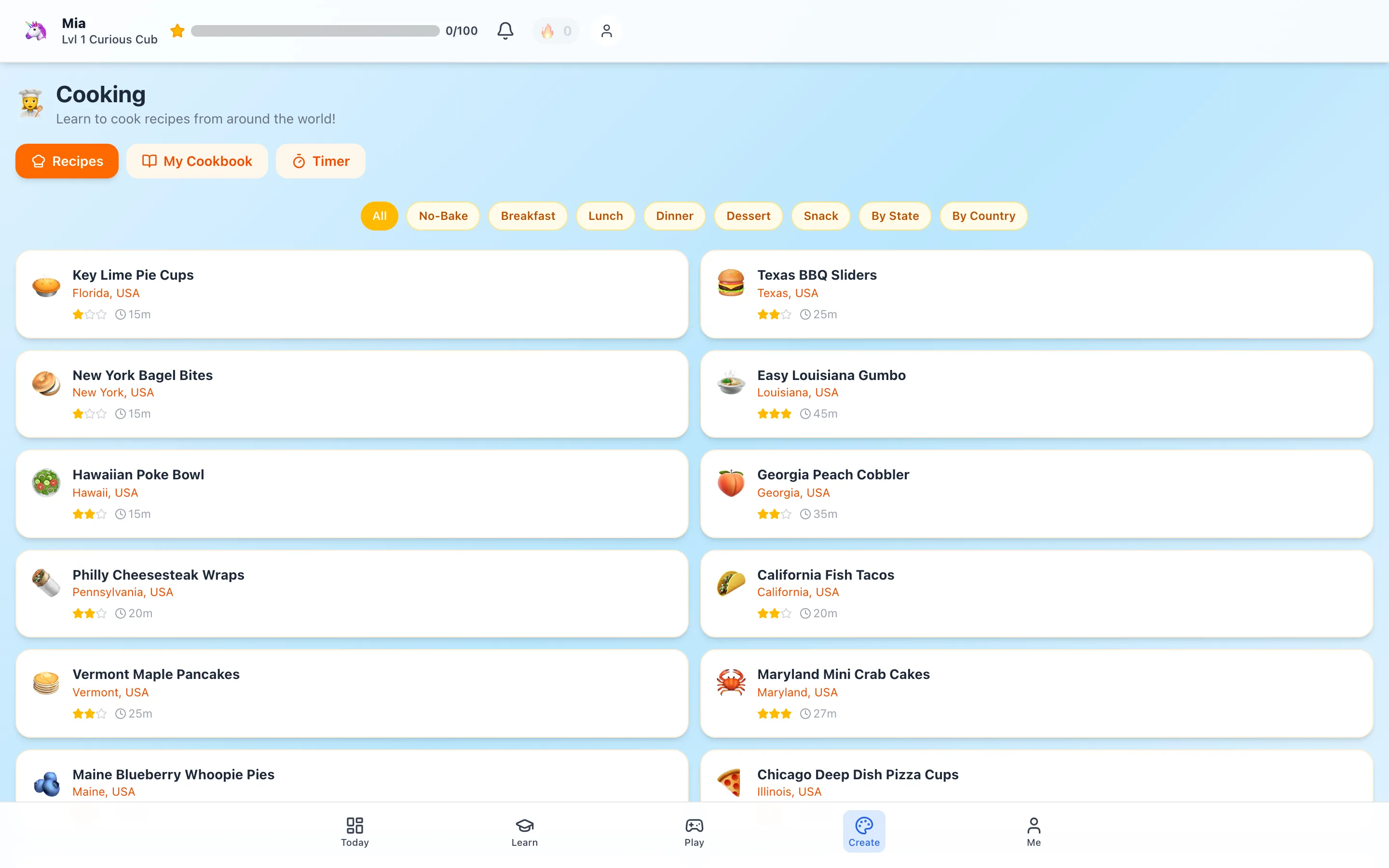
575 hands-on activities that are deliberately not on the device — cooking, nature identification, engineering builds, scavenger hunts. The app's job in those is to start the activity and then get out of the way.
Arcade games are time-gated against a daily budget parents set, while educational games and courses are not. A child earns arcade minutes through learning rather than the reverse.
Being honest about the trade-off: we also make games engaging on purpose, and 84 of them is a lot. The time-gate exists because we know that's a real tension, not because we've solved it. Our learning games page explains how the gating works.
3. ABCmouse — solid, contained, no upselling
$45/year, ages 2–8, no ads or in-app purchases. A structured learning path rather than an open reward economy, which makes sessions naturally finite. Full comparison.
4. Epic! — screen time that's actually reading
$9.99/month or $79.99/year, 40,000+ books and audiobooks for under-12s. Worth separating from the rest: a child reading a book on a tablet is reading a book. The audiobook option also allows genuinely screen-free listening.
5. SplashLearn — focused sessions, clear endpoints
About $11.99/month for math and reading, PreK–grade 5. Structured practice with defined session boundaries rather than an open world. Free tier available. Full comparison.
6. Adventure Academy — engaging by design, know what that means
$12.99/month or $45/year, ages 8–13. No ads and no in-game purchases, which is genuinely good. But it's an MMO — the format is built around continued presence in a persistent world with other players. That's the point, and it's the thing to be deliberate about. Full comparison.
7. Prodigy — effective, with a caveat worth naming
Free core math and English, memberships roughly $5–$20/month. The RPG loop genuinely gets children to practice more.
The caveat: the free tier works by showing non-paying children the pets, cosmetics, and rewards that members have. It's a standard free-to-play pattern and plenty of parents are fine with it. If you'd rather your child not be marketed to during a learning session, that's a real reason to pick something else. Full comparison.
The strongest trick: cut the connection
There's a move most parents never think of, and it changes the whole equation.
If an app works fully offline, you can download it, then turn off WiFi and cellular data on the device before handing it over. At that point the tablet isn't a tablet any more — YouTube is gone, the browser is gone, the app store is gone. What's left is the one thing you deliberately put there. No content filter to configure, no blocklist to maintain, no arms race with a clever eight-year-old.
This is the difference between hoping a child stays in the learning app and knowing they will.
It only works if the app genuinely runs without a connection, and most don't. Anything built around live classes, a multiplayer world, or server-side progress simply stops. Here's where each option stands:
| App | Works with the connection off? |
|---|---|
| HomeSchool.You | Yes — 8 downloadable packs, ~2.95 GB Travel Mode bundle |
| Khan Academy Kids | Yes — strong offline support once downloaded |
| Epic! | Partially — books can be downloaded for offline reading |
| ABCmouse | Limited |
| SplashLearn | Limited |
| Prodigy | No — requires a connection |
| Adventure Academy | No — it's a multiplayer world |
| Outschool | No — classes are live video |
On iOS you can go further and pair this with Guided Access (Settings → Accessibility), which locks the device to a single app until you enter a PIN. Connection off plus Guided Access on is about as close to a purpose-built learning device as a phone or tablet gets.
The strongest version: a device where nothing else works
There's a setup most parents never consider, and it solves this problem more completely than any app choice.
Take an old iPhone or iPad — the one in the drawer from two upgrades ago. Wipe it. Install one offline-capable learning platform and download its content. Then turn off WiFi and cellular entirely and hand it over.
At that point it isn't a tablet any more. There's no YouTube to block, because YouTube has nothing to load from. No browser, no app store, no recommendation algorithm. You haven't restricted your child — you've handed them a different kind of object, closer to a LeapPad than a phone.
This beats content filtering, which is a permanent negotiation with a motivated eight-year-old. Cutting the connection isn't a rule to be argued with; it's a fact about the hardware.
It only works with genuinely offline-capable software, which rules out most of this category:
| App | Works with the connection off? |
|---|---|
| HomeSchool.You | Yes — 8 downloadable packs, ~2.95 GB Travel Mode |
| Khan Academy Kids | Yes — strong offline support, and free |
| Epic! | Partially — books download for offline reading |
| ABCmouse, SplashLearn | Limited |
| Prodigy | No — requires a connection |
| Adventure Academy | No — it's a multiplayer world |
| Outschool | No — classes are live video |
On iOS you can go further with Guided Access, which locks the device to one app behind a PIN. We've written the full step-by-step guide, including the storage caveats that catch people out.
The guilt-free test
Screen time stops being guilt-inducing when you can answer one question: would this have been better spent on YouTube?
That's a lower bar than "was this optimal parenting," and it's the honest bar most of us are actually working with. A child who spent thirty minutes building a volcano in a 3D science lab, learning ten words of Japanese, or reading a graphic novel on Epic! clears it comfortably. A child who watched autoplay recommendations for thirty minutes did not.
Note what the test doesn't require: that the screen be virtuous, that the child be miserable, or that you feel bad about needing the break. Parents need to cook dinner. The question is only what's on the screen while you do.
A practical rule
Rather than counting minutes, ask what came out of the session. If your child finished and wanted to show you something they made, explain something they learned, or go do a thing in the physical world — that was good screen time regardless of duration. If they finished and immediately wanted more with nothing to show, the app was doing something other than teaching.
Our 3-day trial requires a credit card upfront.
Methodology
Prices and monetization details come from each company's published pages in August 2026. We named our own design tension rather than claiming to have solved screen time, and ranked a free nonprofit product above our paid one on the specific question of manipulation.
Frequently asked questions
What actually makes screen time guilt-free?
One test — would that time have been better spent on YouTube? If a child spent thirty minutes building a volcano in a science lab or learning ten words of Japanese, it clears the bar. The comparison that matters is the realistic alternative, not an idealised one.
How much educational screen time is appropriate?
Most pediatric guidance focuses less on total minutes and more on what the time is doing. Co-viewing, active participation, and content that leads somewhere off-screen matter more than a strict clock limit.
Which learning apps have no ads or in-app purchases?
Khan Academy Kids, HomeSchool.You, ABCmouse, and Adventure Academy all have no advertising or in-product purchases. Prodigy's free tier shows membership perks to non-paying children.
Which app has parental time controls?
HomeSchool.You time-gates arcade-style games against a daily budget parents set, while leaving educational games ungated. Most platforms rely on device-level screen time controls instead.
Are there apps that lead to off-screen activity?
HomeSchool.You includes 575 hands-on activities like cooking, nature identification, and engineering builds. Reading Eggs and ABCmouse offer printables. Most game platforms are screen-only by design.
What's the least manipulative option?
Khan Academy Kids. It's nonprofit, free, ad-free, has nothing to sell, and its pacing doesn't use variable-reward mechanics.
Does educational screen time count differently than entertainment?
Somewhat, but the line is blurrier than marketing suggests. An app that wraps three math questions in twenty minutes of game play is mostly game.