Best Language Learning Apps for Families With Multiple Kids (2026)
Trial offer update — September 17, 2026: HomeSchool.You's Summer Welcome Special offered a 7-day free trial with no credit card required, valid through September 15, 2026. That special is no longer active. New standard signups now receive a 3-day free trial with a credit card required upfront. The selected plan bills automatically when the trial ends unless canceled beforehand. Existing users keep their already-promised trial terms. See current plans and trial terms.
One child wants to learn the names of animals. Another wants to read a whole sentence. You would like to join in, but you do not want three subscriptions, three routines, and a daily argument about whose turn it is.
The best language app for your family should make those differences manageable. Look for activities each child can understand, a clear way to keep progress separate, and a price that makes sense for everyone using it.
Our recommendation: for younger siblings, begin with a small shared routine and activities they can hear, see, and try. For independent readers learning alongside a parent, compare separate accounts under a family plan. For conversation, consider adding a live class or practice with someone who speaks the language.
Disclosure: we publish HomeSchool.You and include it here. This guide compares family setup and practical use. Our general language-app guide looks more broadly at learning formats.
Compare what “family access” actually includes
| Option | Family arrangement | A reason to consider it |
|---|---|---|
| HomeSchool.You | $20/month includes up to 4 child profiles, ages 3–10 | Languages alongside courses, games, and hands-on learning |
| Duolingo Family Plan | Up to 6 separate Super accounts; check the current annual quote | Parents and children learning on their own accounts |
| MUZZY | Subscription; confirm current account and device allowances | Stories, songs, and follow-up activities to explore together |
| Gus on the Go | Language-specific apps; check local store prices and purchase-sharing rules | Picture-and-audio vocabulary activities |
| Outschool | Each participating child enrolls separately; prices vary by class | Scheduled interaction with a language teacher |
Sources: HomeSchool.You pricing, Duolingo's family plan, MUZZY's program, Gus on the Go, and Outschool's sibling-enrollment guidance. Reviewed September 16, 2026.
HomeSchool.You: for languages within a broader learning routine
HomeSchool.You includes 10 language programs for children ages 3–10, with picture, listening, matching, and early phrase practice. Separate child profiles let siblings use the platform at their own levels.
This can be a useful fit if you want a language activity after school, or a language block alongside a parent-led homeschool curriculum. The same subscription also includes courses, learning games, art and music tools, and hands-on activities.
At the current family rate, two children using the plan cost $20/month in total; four also cost $20/month. That works out to $10 or $5 per child respectively when all those places are used. If you only need a few vocabulary activities for one child, a free or smaller single-purpose app may be enough.
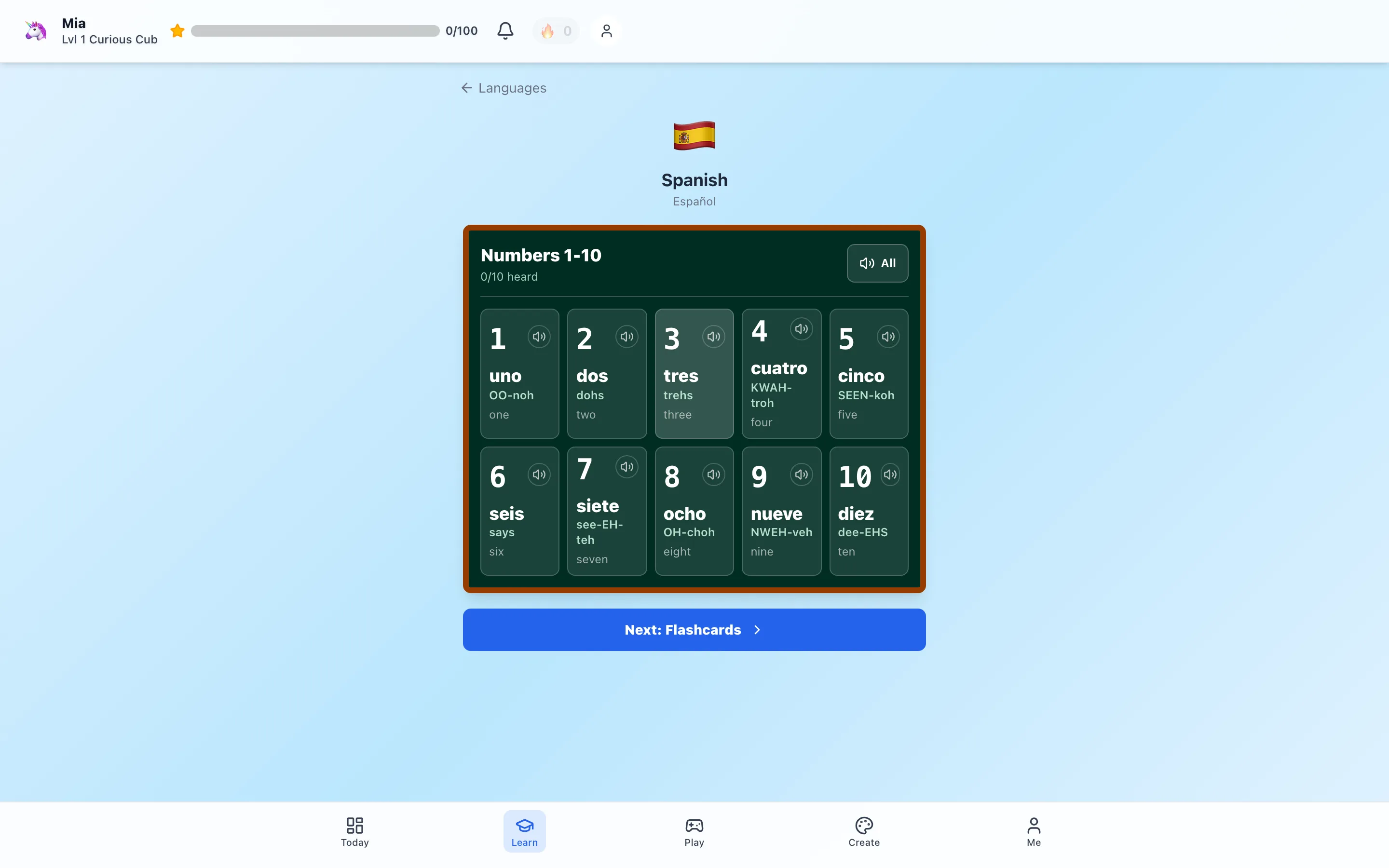
Our Spanish lesson walkthrough shows what a child sees. You can also inspect the language stages and practice modes. Picture and audio support can help a beginning reader get started, but younger children may still need you beside them.
Duolingo: for family members ready for independent lessons
Duolingo's family plan provides six separate Super accounts under an annual subscription. That allows a parent and children to keep their own progress instead of taking turns in one learner account. The provider describes the setup in its family-plan guide.
Try the free learning experience first. Sit beside each child for a lesson and check the reading, typing, and listening demands. Readiness can vary even between siblings close in age.
Check your current country and billing platform for the family price. Divide the annual total by the number of people who will actually use it, rather than automatically dividing by six. A plan with unused places can be less economical than it first appears.
MUZZY: for a shared story followed by play
MUZZY combines animated language stories with games and printable activities. That gives a family several ways to revisit a scene: watch a short section, repeat a phrase, then use a picture card or act out a moment together. See the provider's program description.
Before buying, confirm how many devices and learners your chosen subscription permits. Watching together is different from having individual records for every child.
If siblings enjoy very different levels of activity, give them different jobs. A younger child might point to a familiar object; an older child might try using its name in a phrase.
Gus on the Go: for a small vocabulary starting point
Gus on the Go offers language-specific mobile apps with picture-and-audio activities. Its language catalog identifies the available options.
Check the exact app in your device's store before purchasing. Availability, compatibility, price, and purchase sharing can depend on the app and platform. Do not assume buying one language also unlocks every other language or provides separate progress for siblings.
This is an option to investigate when your goal is modest and concrete: beginning to recognize familiar words together.
Outschool: for a person to talk with
A live language class can give children an opportunity to listen and respond to a teacher. Look at the particular class's age range, group size, language level, and format.
Outschool requires separate enrollment for each participating learner, including siblings attending the same session. Educators may offer discounts, but families should confirm them directly rather than assume one enrollment covers everyone. Read the enrollment guidance.
A class is an additional commitment of time as well as money. Check whether the meeting time works with meals, other lessons, and your child's energy.
Three checks before you pay
1. Profiles: will each child have a separate record? As another example, Rosetta Stone says each subscription is for one user. Access on several devices does not mean permission for several learners.
2. Your actual device: try sound, tapping, typing, and any microphone activity on the tablet or computer your child will use. A phone-sized sample may feel quite different on your shared family device.
3. Your actual goal: choose between first exposure, vocabulary practice, listening, reading, or conversation. A program can be helpful at one without covering them all.
A simple sibling routine for the week
Here is an example you can shorten, repeat, or spread across several days:
| Day | Together | Each child at their own level |
|---|---|---|
| Monday | Listen to a few color words | Point to a color, name it, or describe an object |
| Tuesday | Revisit the words in a short app activity | Practice only as much as feels useful |
| Wednesday | Find those colors around the room | Draw a picture and label or say one color |
| Thursday | Add a greeting | Wave and repeat it, or try a short exchange |
| Friday | Let each child teach the family something | Celebrate remembering, asking, and trying |
This is a sample activity plan, not a prescribed amount of screen time. Keep the pace comfortable and leave room for the rest of family life.
You do not have to speak perfectly to participate. You can listen together, try a word, and look for chances to use it with a fluent speaker when one is available. The aim is a family habit children want to return to.
If you would like language practice alongside other learning, explore HomeSchool.You's language options or start the 3-day trial.
Sources and review method
Provider pages were reviewed September 16, 2026. Family allowances are stated only where the provider describes them; unspecified account or device limits should be confirmed before purchase. We have not run a comparative learning-outcomes study. “Best” here means a potential fit for the particular family need, not a guarantee of progress or fluency.
Frequently asked questions
Which language app is best for a family with multiple children?
HomeSchool.You is worth considering for children ages 3–10 when you also want homeschool courses and activities. Duolingo's family plan supports six separate accounts and may suit parents and children who can use its lessons comfortably. Preview the actual activities before choosing.
Can my children share a language-learning account?
Follow the provider's rules and use separate learner profiles where available. Sharing a login can mix progress. A family subscription, several learner profiles, and permission to use multiple devices are different features.
How much does HomeSchool.You cost for siblings?
The family plan is $20 per month for up to four children. Language activities are included alongside the wider learning platform. The 3-day trial requires a credit card upfront. Your selected HomeSchool.You plan bills automatically after the trial unless you cancel before it ends.
Should siblings learn the same language?
A shared language makes family games and conversation easier, but siblings can work at different levels. Choose a language connected to family, friends, books, travel interests, or a person they can practice with.
Do language apps replace a language teacher?
Apps can support vocabulary and listening practice. Responsive conversation and feedback from a teacher or fluent speaker add something different. Choose the combination that fits your child's goals.