Homeschool Progress Reports, Attendance Logs, and Transcripts — What Each Record Means
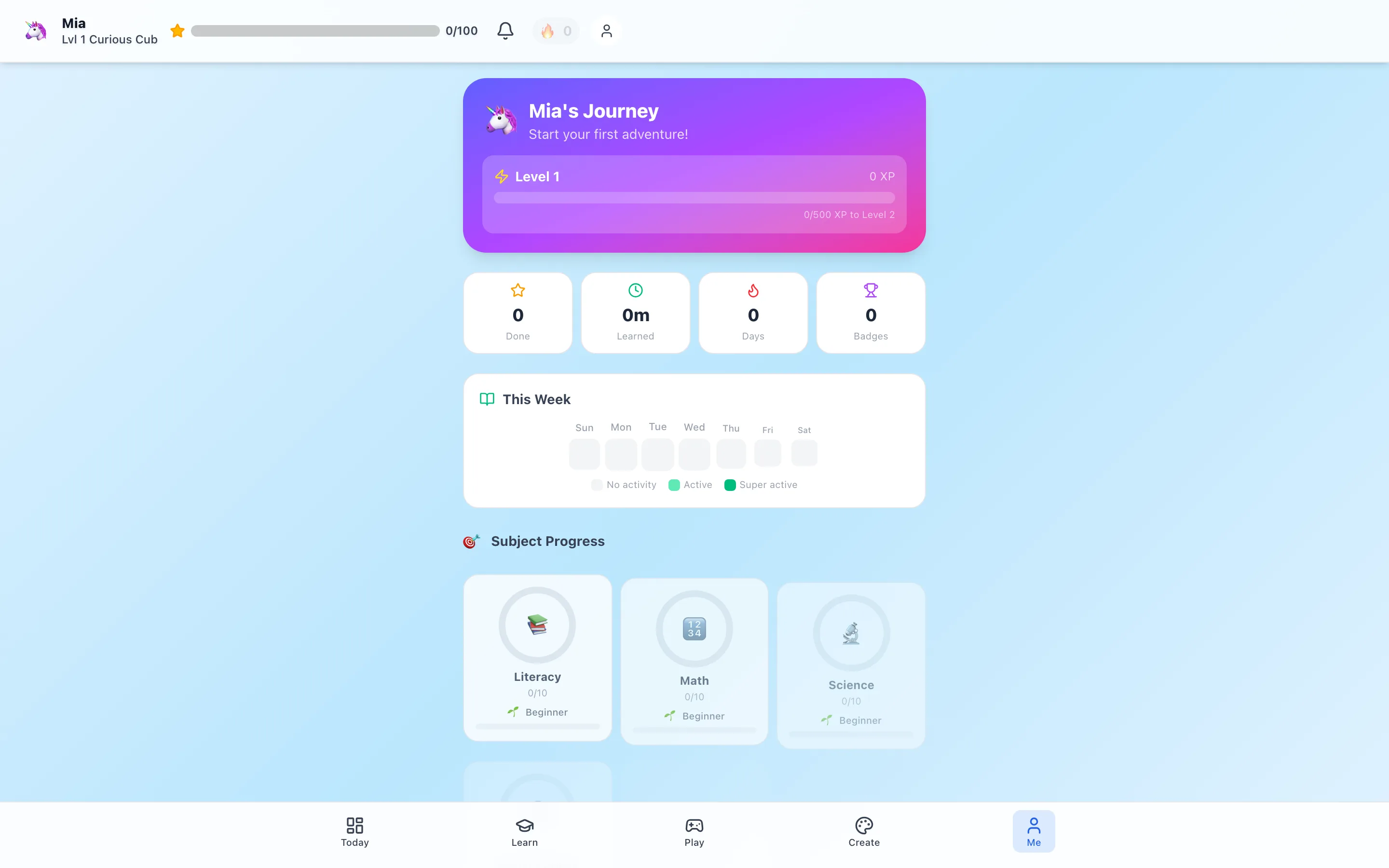
“Does it make transcripts?” sounds like a yes-or-no product question. For homeschool families, it is usually five different questions hiding inside one sentence.
An attendance log is not a progress report. A portfolio is not an annual report. A parent-generated elementary transcript is not the same thing as an accredited high-school transcript that awards credit.
This guide separates those records and states exactly what HomeSchool.You does. It is general information, not legal advice; homeschool requirements change and vary by jurisdiction.
The five records parents most often mean
| Record | What it answers | Common contents |
|---|---|---|
| Attendance log | When did instruction happen? | Dates, instructional days, sometimes hours |
| Progress report | What is the child working on and learning? | Subjects, activities, skills, completion, observations |
| Portfolio | What evidence shows the learning? | Work samples, projects, photos, writing, reading lists |
| Annual report | What happened over the school year? | Summary by subject, attendance, achievements, narrative |
| Transcript | Which courses, grades, and credits were completed? | Course titles, terms, grades, credits, GPA where applicable |
Families may need none, some, or all of these. Age matters too: a detailed credit-bearing transcript is central to high school and usually far less meaningful for a seven-year-old.
Attendance log: a calendar, not a judgment
An attendance record documents when school took place. Depending on local rules, that may mean instructional days, hours, or simply a parent-maintained calendar.
The common mistake is treating “attendance” as time spent inside one app. Homeschool learning can include reading, field trips, music practice, cooking, a science build, physical education, or instruction from a parent. A useful log lets the parent account for the actual day, not only clicks.
HomeSchool.You can generate attendance records from platform activity. Parents should review and supplement them when learning happened elsewhere.
Progress report: a picture of learning in motion
A progress report is formative. It helps a parent answer:
- Which subjects received attention?
- What did the child complete?
- Which skills appear secure or still need work?
- Where did interest increase or resistance appear?
- What should happen next?
HomeSchool.You records activity completion and shows progress by subject and skill. That data can be useful, but numbers need interpretation. Completing ten activities does not automatically prove mastery; struggling through one difficult explanation can produce more learning than racing through five familiar quizzes.
The parent remains the reviewer. Add observations, work samples, and context that software cannot know.
Portfolio: the evidence behind the summary
A portfolio collects artifacts. It may include writing, math work, project photos, art, lab notes, reading lists, audio, certificates, or a child's reflection.
Portfolios are useful even when the state does not require one because they answer a different question from analytics: what can this child actually make, explain, or do?
HomeSchool.You includes project and creation storage plus portfolio export. Families can also keep a paper binder or a folder outside the platform. The best system is the one you will maintain and can understand six months later.
Annual report: the year's narrative
An annual report brings attendance, subject coverage, progress, achievements, and parent notes into one school-year summary. Some families use it for personal records; others may use a report as part of an evaluation or district submission where accepted.
HomeSchool.You can generate a parent-managed annual progress report and a PDF. The report itself says to review every section for accuracy. That warning is important: generated records can only summarize the information available to them.
No app can promise that one generic PDF satisfies every state's rules. HomeSchool.You includes tools and jurisdiction-specific guidance, but families must confirm current requirements and deadlines with the appropriate state or local authority.
Transcript: where wording matters most
A transcript usually becomes significant in middle and high school, when courses, grades, credits, GPA, graduation requirements, college applications, or transfers enter the picture.
HomeSchool.You includes a transcript-style parent export based on learning recorded in the platform. It can help organize course and activity history. It is not an official, school-issued transcript.
Here is the precise language we use across our product and content:
HomeSchool.You generates parent-managed attendance, progress, annual-report, portfolio, and transcript-style records, but it is not an accredited school and does not issue official credit-bearing transcripts.
That distinction is especially important because HomeSchool.You is designed for ages 3–10. We do not offer high-school credit, a diploma, accreditation, teacher-issued grades, or a registrar.
If a teenager needs an accredited program or an official transcript backed by a school, choose a provider that explicitly offers those services. Our elementary program comparison separates curriculum tools from school-like programs.
What HomeSchool.You records today
Within the parent tools, families can work with:
- Attendance generated from learning activity
- Subject and skill progress
- Annual progress reports
- Portfolio exports
- Transcript-style parent records
- State compliance guidance and filing-oriented PDFs
- JSON or PDF exports, depending on the report
The product is a record-keeping aid, not a legal service. Parents control the account, review the information, and decide what to submit.
A practical monthly record routine
Records become stressful when they are postponed until the end of the year. A 20-minute monthly review is easier:
- Check the attendance calendar and add off-platform learning days.
- Review progress by subject for obvious gaps or data errors.
- Save two or three representative work samples—not every worksheet.
- Add a short parent note about strengths, challenges, and next steps.
- Export a copy and store it somewhere the parent controls.
At the end of a term, those small reviews make an annual summary much more credible than a last-minute reconstruction.
Questions to ask any homeschool platform
Before paying for “reporting,” ask:
- Is the record generated from actual work or manual parent entry?
- Can a parent correct or annotate it?
- Can outside learning be added?
- What file formats can be exported?
- Does “transcript” mean a parent template or an official school-issued record?
- Is the provider accredited, or only the curriculum?
- Who remains responsible for state reporting?
Specific answers are more valuable than a green check beside “reports included.” Our honest platform overview lists our current counts, tools, and limits in one place.
Editorial and legal note
This first-party guide was written by the HomeSchool.You team to clarify our own product language. We are not a law firm, school, accreditor, or government agency. Verify current rules with the official authority for your jurisdiction and obtain qualified advice when your situation requires it.
Frequently asked questions
Does HomeSchool.You generate homeschool records?
Yes. It generates parent-managed attendance, progress, annual-report, portfolio, and transcript-style records from activity completed in the platform. Parents should review every export for accuracy.
Is a HomeSchool.You transcript an official accredited transcript?
No. HomeSchool.You is not an accredited school and does not issue official credit-bearing transcripts, diplomas, or course credit. Its transcript-style export is a parent record.
What is the difference between a progress report and a transcript?
A progress report shows current learning activity, skills, and development over a period. A transcript is a formal summary of courses, grades, credits, and school history, most relevant in later grades.
Do all homeschool families need attendance logs?
No. Requirements vary by state and sometimes by homeschool option. Check the current rules for your jurisdiction rather than assuming another family's checklist applies to you.
Can an app guarantee state compliance?
No. Software can organize records and provide templates, but the parent or school administrator remains responsible for verifying current requirements, reviewing the data, and submitting the right materials.