How Parent Progress, Attendance, and Portfolio Records Look Inside HomeSchool.You
Trial offer update — September 17, 2026: HomeSchool.You's Summer Welcome Special offered a 7-day free trial with no credit card required, valid through September 15, 2026. That special is no longer active. New standard signups now receive a 3-day free trial with a credit card required upfront. The selected plan bills automatically when the trial ends unless canceled beforehand. Existing users keep their already-promised trial terms. See current plans and trial terms.
A homeschool dashboard can look impressive while telling a parent very little. Rings, streaks, and percentages are useful only if you know what action created them and what they leave out.
This walkthrough uses the current HomeSchool.You parent views to answer three practical questions:
- What did my child do?
- What evidence should I keep?
- What needs attention next?
For definitions of attendance logs, progress reports, annual reports, portfolios, and transcripts, read the companion plain-English records guide. This page focuses on what the interface does.
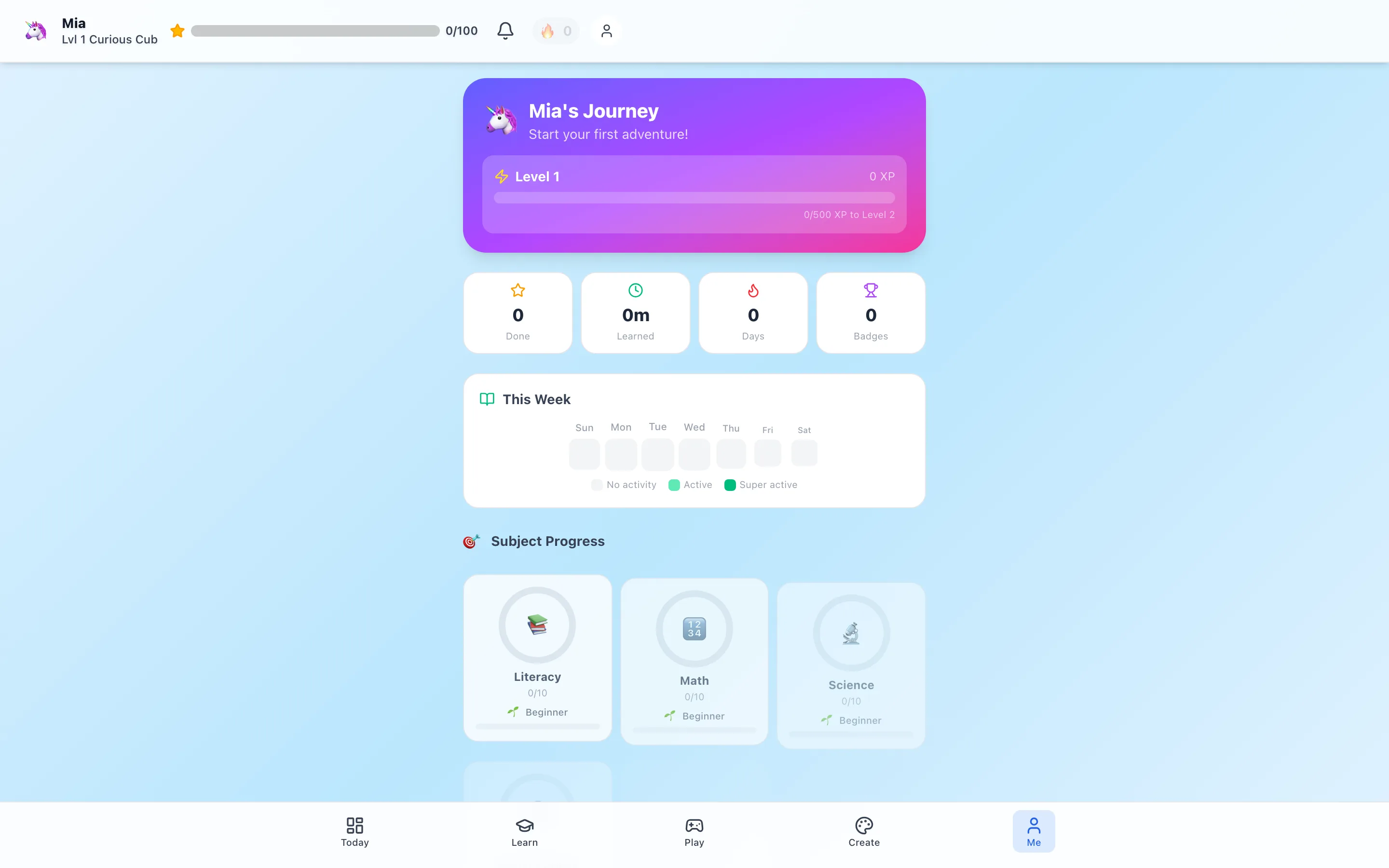
The progress view
The progress view organizes activity completed inside HomeSchool.You so a parent can see patterns across subjects and time. That can help reveal:
- A subject the child is choosing repeatedly
- A subject receiving little attention
- Recent course or activity completion
- Momentum that may support the next recommendation
- A place where the parent should look more closely
It does not automatically prove mastery. A child can complete an easy item quickly, struggle productively through a difficult one, or receive help from a parent. Those situations should not be interpreted as equivalent because they create the same completion event.
The dashboard answers “what is next?”
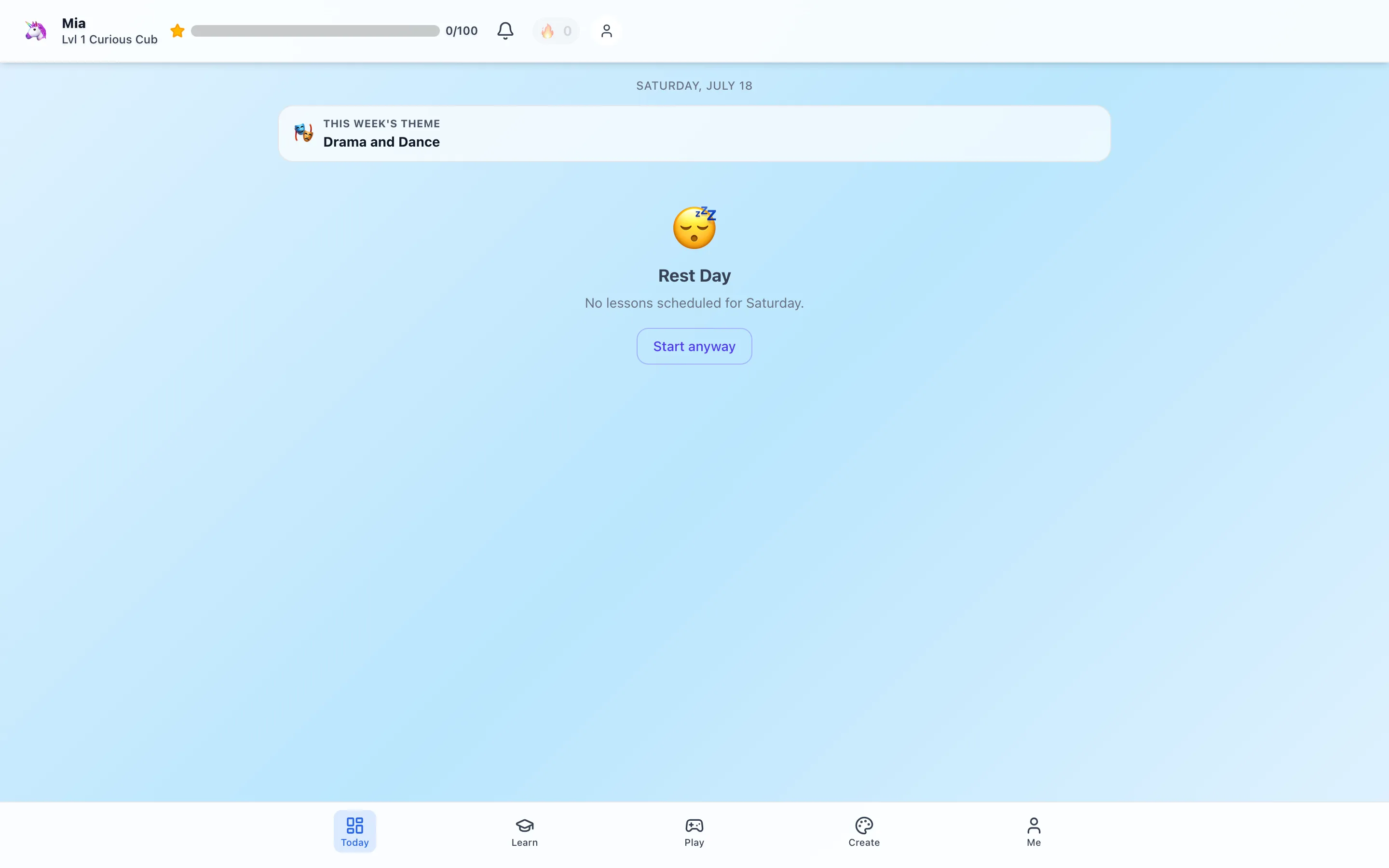
The child dashboard turns the larger catalog into a smaller next-step view. That reduces decision load for the learner while the parent retains access to courses, subjects, activities, games, and settings.
The parent’s job is not to obey the dashboard blindly. Use it as a proposed plan:
- Is the level appropriate today?
- Is the child tired, curious, or frustrated?
- Does the plan include a chance to make or move?
- Is an off-platform book, class, or field trip the better next step?
Good adaptive software should support parent judgment, not replace it.
Attendance: what can be generated
Platform activity can create an attendance trail. That is convenient because a parent does not have to reconstruct every date from memory.
But homeschool attendance can include much more:
- Reading aloud together
- Library visits and independent books
- Co-op or community classes
- Music practice and physical education
- Cooking, building, gardening, and nature study
- Museums, parks, and field trips
- Parent instruction away from the device
HomeSchool.You cannot automatically observe those events. Parents should review the calendar and add or retain outside evidence according to their state and homeschool option.
Progress: what to review weekly
A useful weekly review takes about ten minutes:
- Look across subjects for concentration and gaps.
- Open a few completed items and remember what the child actually did.
- Ask the child which activity felt easy, hard, or interesting.
- Choose one next step based on the evidence.
- Add a short parent note when context would otherwise be lost.
Do not chase equal percentages across every subject. A week centered on a science project can be excellent even if another subject moves less.
Portfolio: save evidence, not everything
A portfolio is strongest when it contains representative work:
- One early attempt and one later attempt that shows growth
- A child explanation or reflection
- A project photo with a caption
- A piece of writing or problem-solving work
- A reading list plus a brief response
- Art, music, or design selected by the child
Saving every click creates an archive, not a useful portfolio. A small set with context is easier to review and more credible.
The platform can organize saved work and produce portfolio-style exports. Parents remain the editors. Review names, dates, captions, and accuracy before sharing or filing anything.
Annual reports and transcript-style exports
HomeSchool.You can combine learning history into parent-managed annual-report and transcript-style records. The wording matters:
HomeSchool.You is not an accredited school and does not issue official credit-bearing transcripts, course credit, diplomas, or teacher-issued grades.
For the platform’s age range, a parent summary and portfolio are generally more informative than a high-school-style credit transcript. Requirements still vary by state and legal homeschool option.
What the screenshot proves—and what it cannot
The screenshot proves that a current progress interface exists and shows how information is organized. It does not prove:
- That every family will use the workflow consistently
- That a completion equals mastery
- That a report satisfies every jurisdiction
- That a child achieved a particular outcome
- That the platform is an accredited school
We make this distinction because product screenshots should be evidence of product behavior, not stand-ins for customer outcomes.
A monthly record routine
| Step | Parent action | Result |
|---|---|---|
| Attendance | Review platform dates and add outside learning | A more complete calendar |
| Progress | Check subject patterns and inspect a few items | A next-step decision |
| Portfolio | Save 2–3 representative artifacts | Evidence with manageable volume |
| Notes | Add one sentence on strengths or needs | Context that analytics cannot infer |
| Backup | Export and store a copy under parent control | A durable record |
How this connects to the public curriculum evidence
When a progress row names an activity or course, a parent should be able to inspect what that item contains. That is why we now publish:
- All 57 default course syllabi
- All 575 activity records
- All 84 game explanations
- 16 representative lesson examples
- The learning-quality and correction standard
Records are more trustworthy when the underlying learning object is visible, named, and specific.
The bottom line
Use progress tools to notice patterns, attendance tools to reduce reconstruction, and portfolios to preserve evidence. Keep the parent in the loop, add off-platform learning, and never confuse an attractive dashboard with independent proof of learning.
The 3-day trial requires a credit card upfront, so a family can test whether the workflow reduces record-keeping work before paying.
Frequently asked questions
What does the HomeSchool.You progress screen show?
It summarizes learning activity and subject progress recorded inside the platform. Parents should interpret the pattern and add context from off-platform work.
Does HomeSchool.You automatically record all homeschool attendance?
It can generate attendance from activity completed in the platform, but it cannot see books, field trips, co-op classes, or parent instruction elsewhere. Parents should review and supplement the record.
Can parents export a portfolio?
Yes. The parent tools support portfolio-style records and exports using saved work and learning history. The parent decides which artifacts provide meaningful evidence.
Are the transcript-style records official transcripts?
No. HomeSchool.You is not an accredited school and does not issue official credit-bearing transcripts, diplomas, credits, or teacher-issued grades.