Miacademy vs. Power Homeschool: Which Fits Your Elementary Child?
Trial offer update — September 17, 2026: HomeSchool.You's Summer Welcome Special offered a 7-day free trial with no credit card required, valid through September 15, 2026. That special is no longer active. New standard signups now receive a 3-day free trial with a credit card required upfront. The selected plan bills automatically when the trial ends unless canceled beforehand. Existing users keep their already-promised trial terms. See current plans and trial terms.
Choosing a homeschool program is a very personal decision. You want your child to understand what they are learning, feel comfortable asking for help, and still have plenty of room in the day for books, play, and family life.
Our starting recommendation: look at Miacademy if you want a K–8 program that combines lessons with interactive practice and optional community activities. Look at Power Homeschool if recorded instruction through the Acellus course system is a good fit and you value its wider grade range. Try to watch a sample with your child before deciding.
Neither choice needs to fill every hour. A useful digital lesson can be one part of a day that also includes reading together, writing, making things, and getting outside.
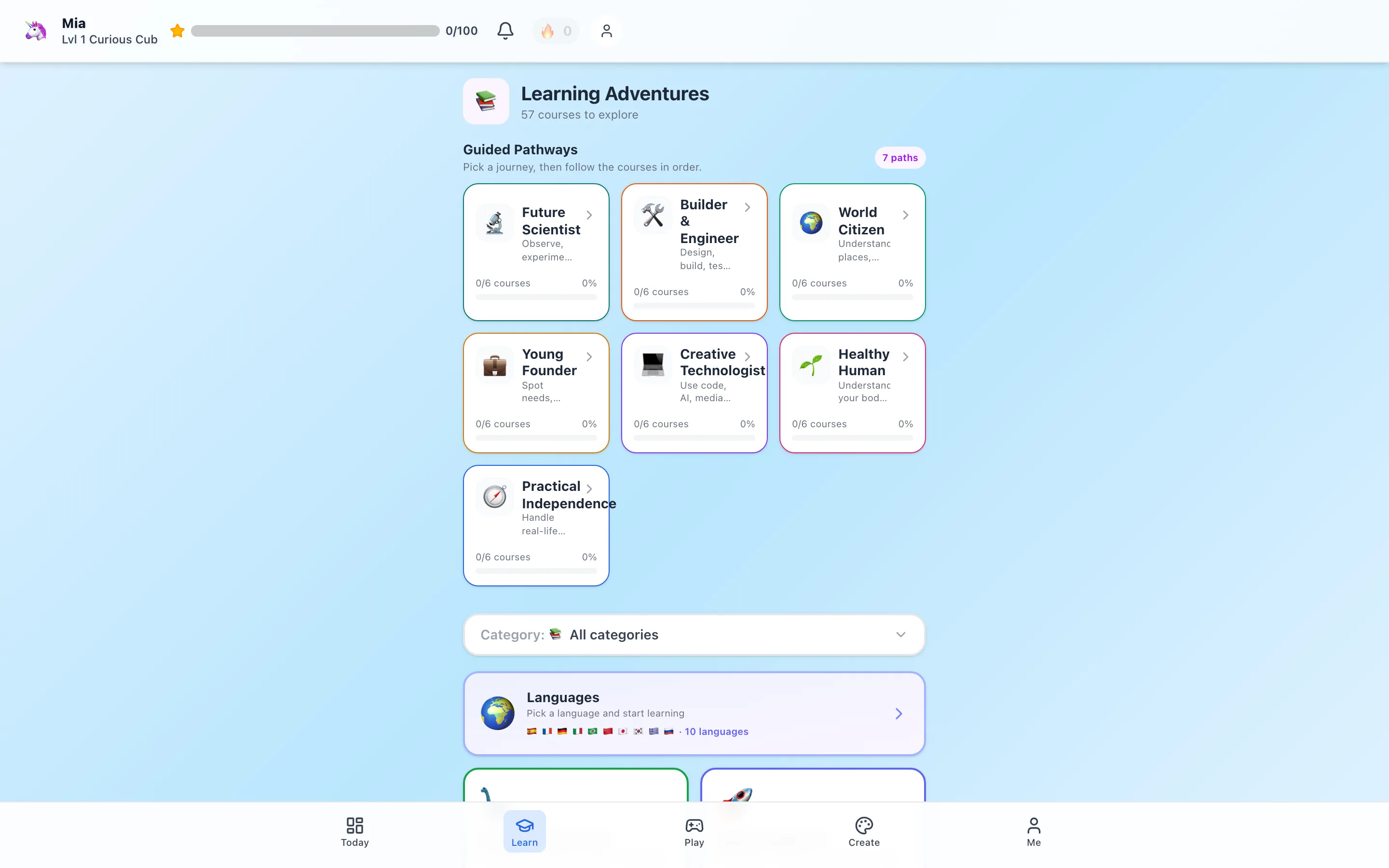
Disclosure: this guide is published by HomeSchool.You, another learning platform. The comparison below is based on the providers' published information, not a controlled trial with children. The image above shows our own course library.
Miacademy and Power Homeschool at a glance
| What matters to your family | Miacademy | Power Homeschool |
|---|---|---|
| Published grade range | K–8; MiaPrep is a separate option for older students | PreK–12 |
| Learning format | Videos, interactive practice, and assessments | Self-paced Acellus video courses and assessments |
| Regular monthly curriculum price | $48 per student | $99 per student |
| Parent tools | Lesson planning, gradebook, and attendance reports | Course selection, progress monitoring, and records |
| Something to preview | How lessons and optional community features fit your child | Whether the recorded teaching and course pace suit your child |
Sources: Miacademy's curriculum overview and Power Homeschool's program FAQ, checked September 16, 2026.
What would learning feel like for your child?
With Miacademy, preview the transition from a teaching video to practice and assessment. Its published features include adjustable learning, text-to-speech, and an optional moderated community. Think about whether your child would welcome those choices, and which settings you would want to use. Miacademy describes those features here.
With Power Homeschool, preview an Acellus lesson and the questions that follow it. Its course catalog is a useful place to check the actual subjects you need.
While watching a sample together, ask:
- Can my child explain one thing they learned?
- Do they understand what to do next, or do I need to translate the directions?
- If something is difficult, can we pause and work through it calmly?
- Is this a format we can imagine using regularly?
A child enjoying an activity is encouraging. Being able to talk about the idea afterward gives you another useful piece of information. You can look for both without turning every lesson into a test.
Compare the cost for your whole family
Here is the straightforward monthly arithmetic for the full-curriculum plans, before promotions or discounts:
| Children enrolled | Miacademy at $48 each | Power Homeschool at $99 each |
|---|---|---|
| 1 | $48/month | $99/month |
| 2 | $96/month | $198/month |
| 3 | $144/month | $297/month |
| 4 | $192/month | $396/month |
Miacademy also advertises introductory, annual, lifetime, family-lifetime, and subject options. Its homepage and membership selector showed different annual and lifetime figures when we checked, so confirm your specific offer and renewal terms.
Power Homeschool lists a conditional $79 monthly scholarship rate, alongside its $99 regular rate. Its FAQ says processed tuition payments are non-refundable and taking fewer courses does not reduce the monthly rate. Review the current terms and scholarship information before enrolling.
If you only want a little extra math or reading practice after school, a full curriculum subscription may be more than you need. Choose the learning job first, then compare the price.
A curriculum still benefits from your involvement
Parent tools can help you see what was completed. A conversation can help you see what made sense.
For example, after a lesson about fractions, invite your child to fold a piece of paper into equal parts. After a reading activity, ask them to tell you what happened in their own words. These small moments help you decide whether to continue, revisit an idea, or try a different explanation.
Power Homeschool describes its service as parent-directed homeschooling without teacher support. Recorded teaching is useful, but it is different from having a teacher available to respond to your child. Its FAQ explains that distinction.
Before changing programs, also look at the records you need to keep and the samples each provider makes available. Our guide to attendance, progress reports, and portfolios explains the different kinds of records.
Using a program for supplementary learning
You may already have a curriculum you like. Or your children may attend school and simply want more room to explore.
In either case, start with a specific purpose: practice a reading skill, revisit a tricky math idea, or follow an interest in animals or languages. Give that activity a clear stopping point and leave time to use the idea away from the screen.
A simple example could be:
- Choose one lesson or practice activity together.
- Let your child work at a comfortable pace, with help nearby.
- Ask them to show or explain something from it.
- Continue with a drawing, a book, a building project, or outdoor play.
This is a routine to adapt, not a requirement to add more work to an already full day.
Where HomeSchool.You can help
For children ages 3–10, HomeSchool.You brings courses, games, languages, creative tools, and hands-on activities into one family account. It can provide purposeful supplementary screen time or support a parent-led homeschool curriculum.
You can inspect a real lesson at four age levels, try the idea behind our Fraction Bars learning activity, or browse screen-free activities before choosing.
Our family plan is $20/month for up to four children, with a 3-day trial that requires a credit card upfront. We do not offer live classroom teaching, accredited school enrollment, or a high-school curriculum. See current pricing.
A gentle way to make the decision
Choose one subject and one child to focus on first. Preview the lesson, look at the parent view, and write down what would make the experience useful for your family. That might be clearer explanations, less preparation, a child who wants to practice, or better visibility into progress.
You do not have to find a program that does everything. You are looking for a dependable tool that helps you support the child in front of you.
For a wider comparison, see our Miacademy alternatives and Power Homeschool alternatives guides.
Sources and review method
Provider features and plan information were reviewed September 16, 2026. Sources are linked beside the relevant comparisons. Family totals multiply the published regular monthly price by the number of students; they exclude promotions, other billing plans, and applicable taxes. Recommendations reflect the family needs described, rather than measured outcomes or a claim that one program is best for every child.
Frequently asked questions
Is Miacademy or Power Homeschool better for elementary children?
Start with your child's response to a sample lesson. Miacademy combines videos, practice, assessments, and optional community features for K–8. Power Homeschool uses self-paced Acellus video courses for PreK–12. Compare the amount of help your child needs and the parent tools you will actually use.
What do Miacademy and Power Homeschool cost?
The regular monthly full-curriculum prices checked September 16, 2026 were $48 per student for Miacademy and $99 per student for Power Homeschool. Promotions, other billing plans, and Power Homeschool's conditional scholarship can change the total.
Can I use either program as a supplement?
A family can select learning that supports an existing routine, but compare the cost with the amount you need. Miacademy's membership page also lists subject subscriptions. Power Homeschool says its monthly tuition does not decrease when a student takes fewer than six courses.
Does Power Homeschool include a live teacher?
Power Homeschool provides recorded Acellus instruction for parent-directed homeschooling without teacher support. It is different from Acellus Academy, the separate online school.
Where does HomeSchool.You fit?
HomeSchool.You offers courses, learning games, languages, creative tools, and hands-on activities for ages 3–10. Families can use it for purposeful supplementary screen time or as support within a parent-led homeschool curriculum. It does not provide a live classroom teacher or accredited school enrollment.