Inside the HomeSchool.You Music Studio: A Real Keyboard, a Real Beat Sequencer, Real Songs
Trial offer update — September 17, 2026: HomeSchool.You's Summer Welcome Special offered a 7-day free trial with no credit card required, valid through September 15, 2026. That special is no longer active. New standard signups now receive a 3-day free trial with a credit card required upfront. The selected plan bills automatically when the trial ends unless canceled beforehand. Existing users keep their already-promised trial terms. See current plans and trial terms.
Fourth stop in the screenshot series (Solar System Lab, Animal Kingdom Lab, Spanish lessons). Today: the music studio on HomeSchool.You — and the bar to clear is that most "music for kids" apps are xylophone noises over a cartoon. These unedited screenshots show something closer to a beginner DAW that a six-year-old can drive.
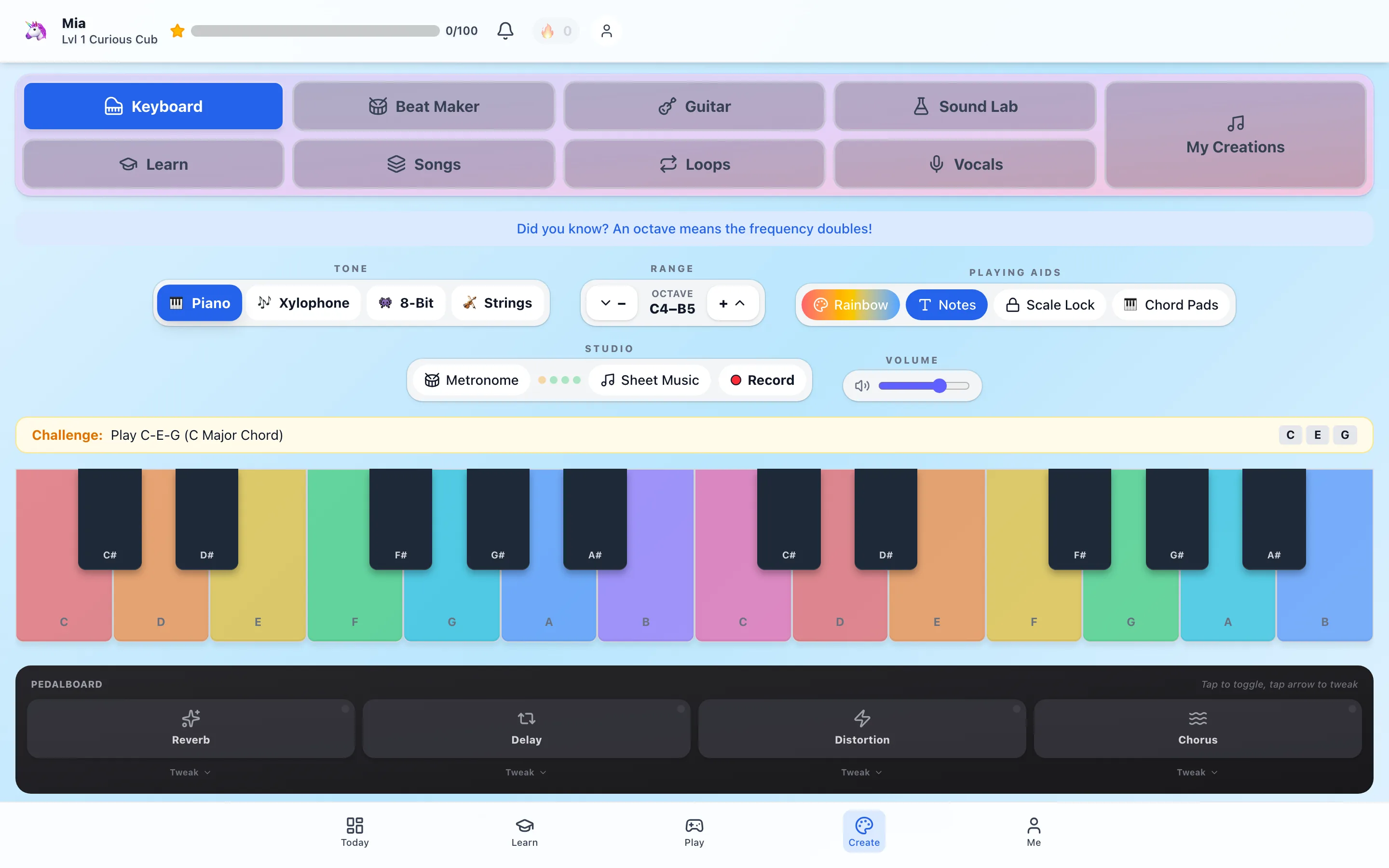
The keyboard: colors first, theory smuggled in
The keyboard screen is the studio's front door. Two octaves of rainbow keys (a Rainbow/Notes toggle for kids who are past the colors), four tones — piano, xylophone, 8-bit, strings — and a challenge bar that teaches chords as finger patterns: Play C-E-G (C Major Chord). The tip banner above does the theory quietly: "an octave means the frequency doubles."
Look at the bottom strip: a pedalboard with reverb, delay, distortion, and chorus, each with a Tweak menu. That's not decoration — kids toggle real effects on their own playing and hear the difference, which is how "what does reverb do?" becomes lived knowledge instead of vocabulary. Metronome, sheet-music view, and a record button round out the studio row.
The Beat Maker: a genuine 16-step sequencer
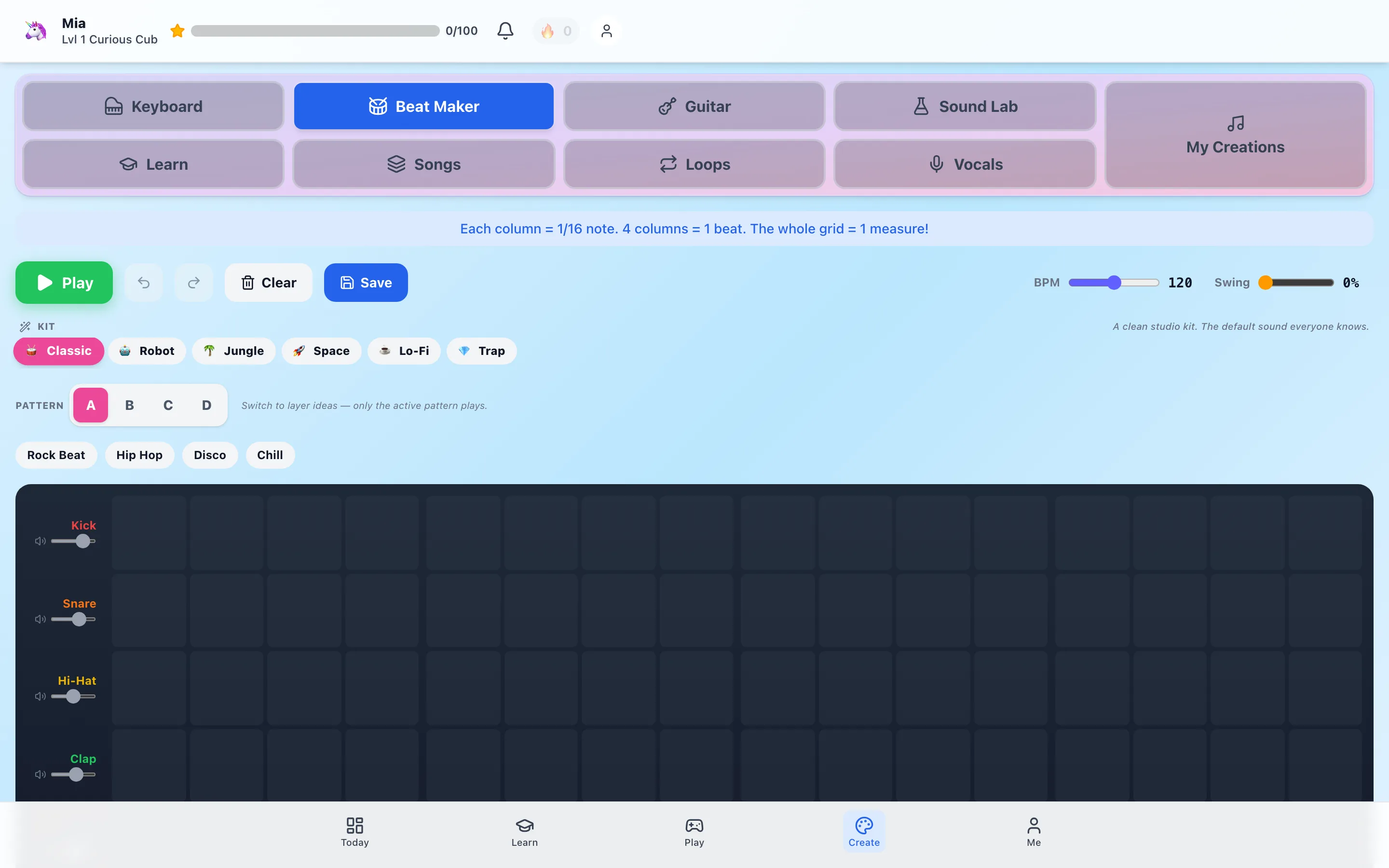
The Beat Maker is the screen that surprises parents. It's a real step sequencer: 16 columns (the banner teaches the music math — each column = 1/16 note, 4 columns = 1 beat, the whole grid = 1 measure), four drum tracks with individual volume sliders, BPM and swing controls, and four pattern slots (A–D) so kids can build verse/chorus structure. Six kits change the sound palette — Classic, Robot, Jungle, Space, Lo-Fi, Trap — and preset grooves (Rock Beat, Hip Hop, Disco, Chill) give a starting point to remix instead of a blank grid.
A child who fills this grid has learned subdivision, tempo, and groove — the actual foundations of rhythm — without a single worksheet.
Songs: where the pieces become a track
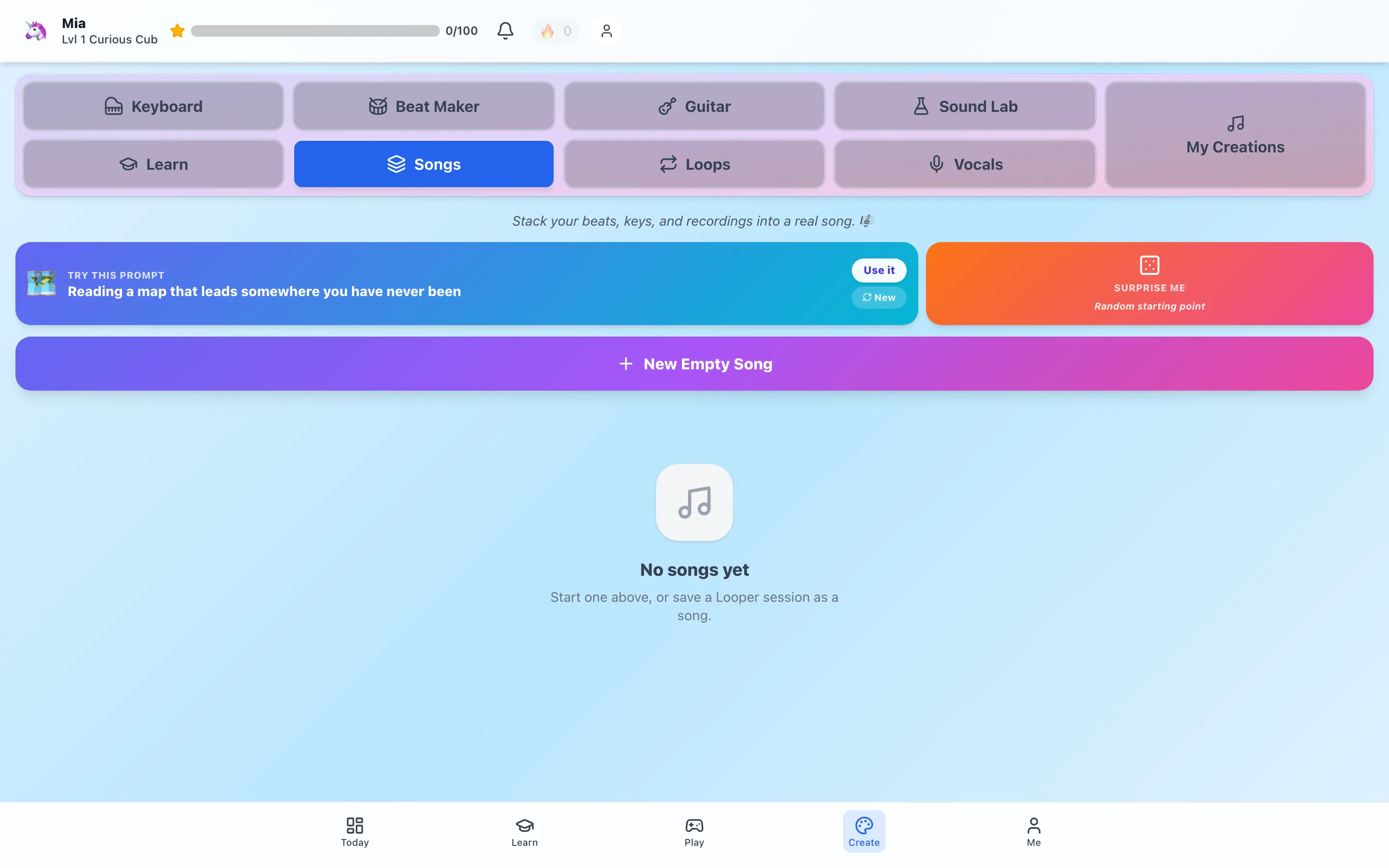
The Songs tab is the assembly bench: beats from the sequencer, keyboard takes, looper sessions, and vocal recordings stack into an arrangement. Blank-page paralysis gets two antidotes — a rotating creative prompt ("Reading a map that leads somewhere you have never been") and a Surprise Me random starting point.
The part that matters most to us: finished songs export to WAV and MIDI. The child's work leaves the app — it can play in the car, land in a family group chat, or open in GarageBand later. Creations that escape the platform are proof the tool is real, and they're the portfolio pieces a homeschool parent can actually file.
One studio among many
The music studio sits in the Create wing of HomeSchool.You next to the art studio (550 stamps, paint-by-number, glow draw) and the design editor — all included in the flat $20/month family plan for up to 4 children, ages 3–10. The 3-day free trial requires a credit card upfront, and the Beat Maker alone is a solid afternoon.
Frequently asked questions
What can kids actually make in the HomeSchool.You music studio?
Real audio. The studio has a playable keyboard (piano, xylophone, 8-bit, strings) with a pedalboard of effects, a 16-step beat sequencer with six drum kits, guitar and synth surfaces, a looper, vocal recording, and a song builder that stacks beats, keys, and recordings into a track. Finished songs export to WAV and MIDI files.
Does my child need to read music first?
No. Keys are color-coded with note-name aids, challenges teach chords by pattern (Play C-E-G), and music theory arrives in small tips — "an octave means the frequency doubles" — while the child plays. A Learn tab adds lessons, ear training, and rhythm games when they want more.
Is the beat sequencer a toy or a real sequencer?
A real one, scaled for kids — a 16-step grid (each column a 1/16 note) across kick, snare, hi-hat, and clap, with adjustable BPM and swing, four pattern slots for arranging, per-track volume, and six sound kits from Classic to Lo-Fi to Trap. It's the same mental model as a professional step sequencer.
Is the music studio part of the base subscription?
Yes — it's included in the flat $20/month family plan (up to 4 children) along with the art studio, all courses, games, and labs. Nothing in the studio is a separate purchase.