Inside a HomeSchool.You 3D Science Lab: A Screenshot Walkthrough of the Solar System Lab
Trial offer update — September 17, 2026: HomeSchool.You's Summer Welcome Special offered a 7-day free trial with no credit card required, valid through September 15, 2026. That special is no longer active. New standard signups now receive a 3-day free trial with a credit card required upfront. The selected plan bills automatically when the trial ends unless canceled beforehand. Existing users keep their already-promised trial terms. See current plans and trial terms.
Most homeschool platforms tell you they have interactive science. This post just shows you. Everything below is a real, unedited screenshot from the Solar System Lab — one of 10 3D labs inside HomeSchool.You — captured on a standard laptop in the browser, exactly as a child sees it.
The lab opens on a spinning 3D Sun
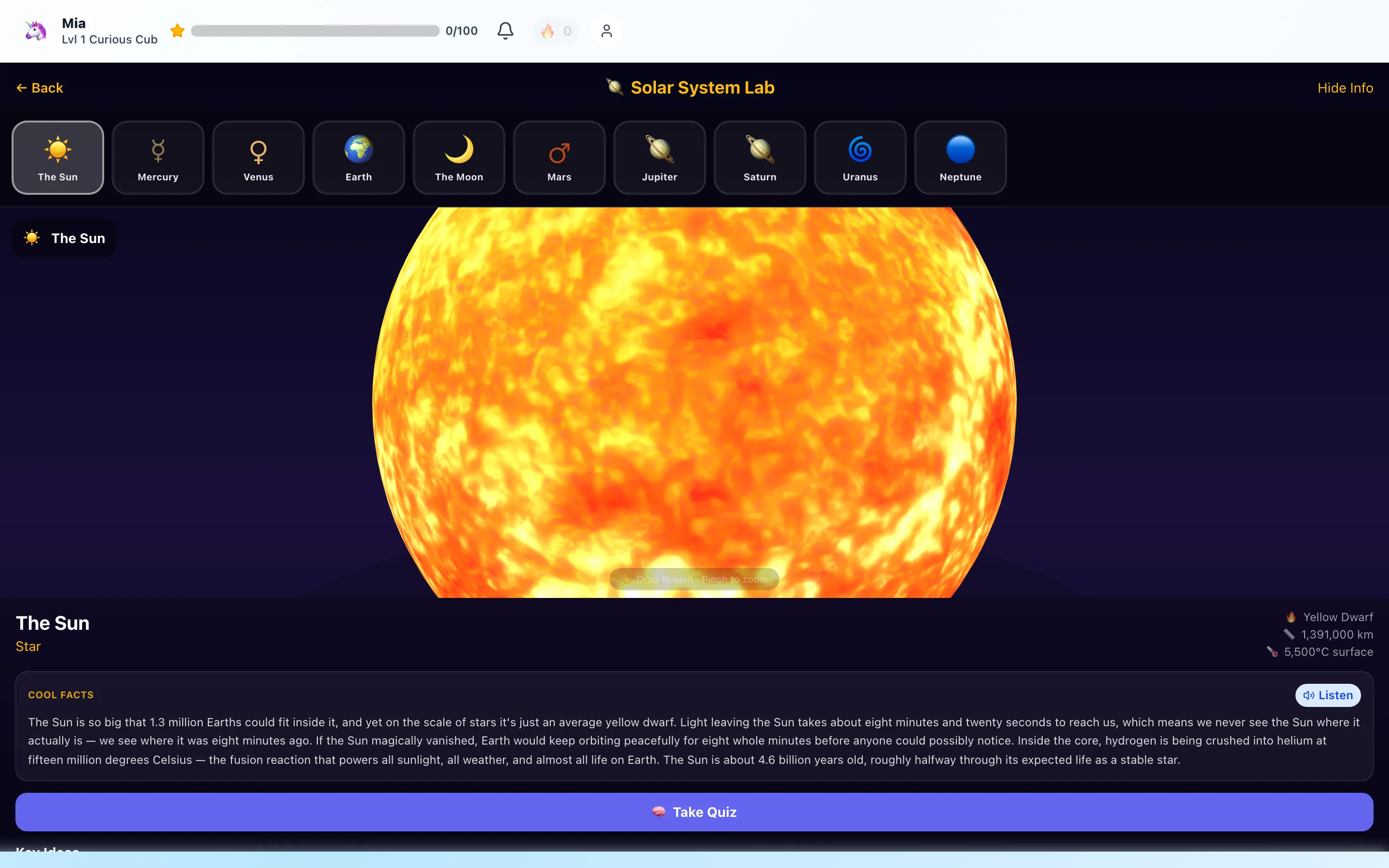
The lab is one screen with no menus to learn. Across the top is the object rail — the Sun, the Moon, and all eight planets. The middle is a live 3D model, not a video: the child drags to spin it and pinches to zoom, so they discover on their own that the Sun rotates, that Saturn is wider than it is tall, that the Moon's far side looks different.
Below the model sits the Cool Facts panel. For the Sun it reads like a story, not a spec sheet — 1.3 million Earths fit inside it, sunlight takes eight minutes and twenty seconds to reach us, "we never see the Sun where it actually is." A child who can't read yet taps Listen and hears the same paragraph narrated aloud. Key stats (yellow dwarf, 1,391,000 km across, 5,500°C surface) sit in the corner for kids who love numbers.
Picking Saturn: every object is its own mini-lesson
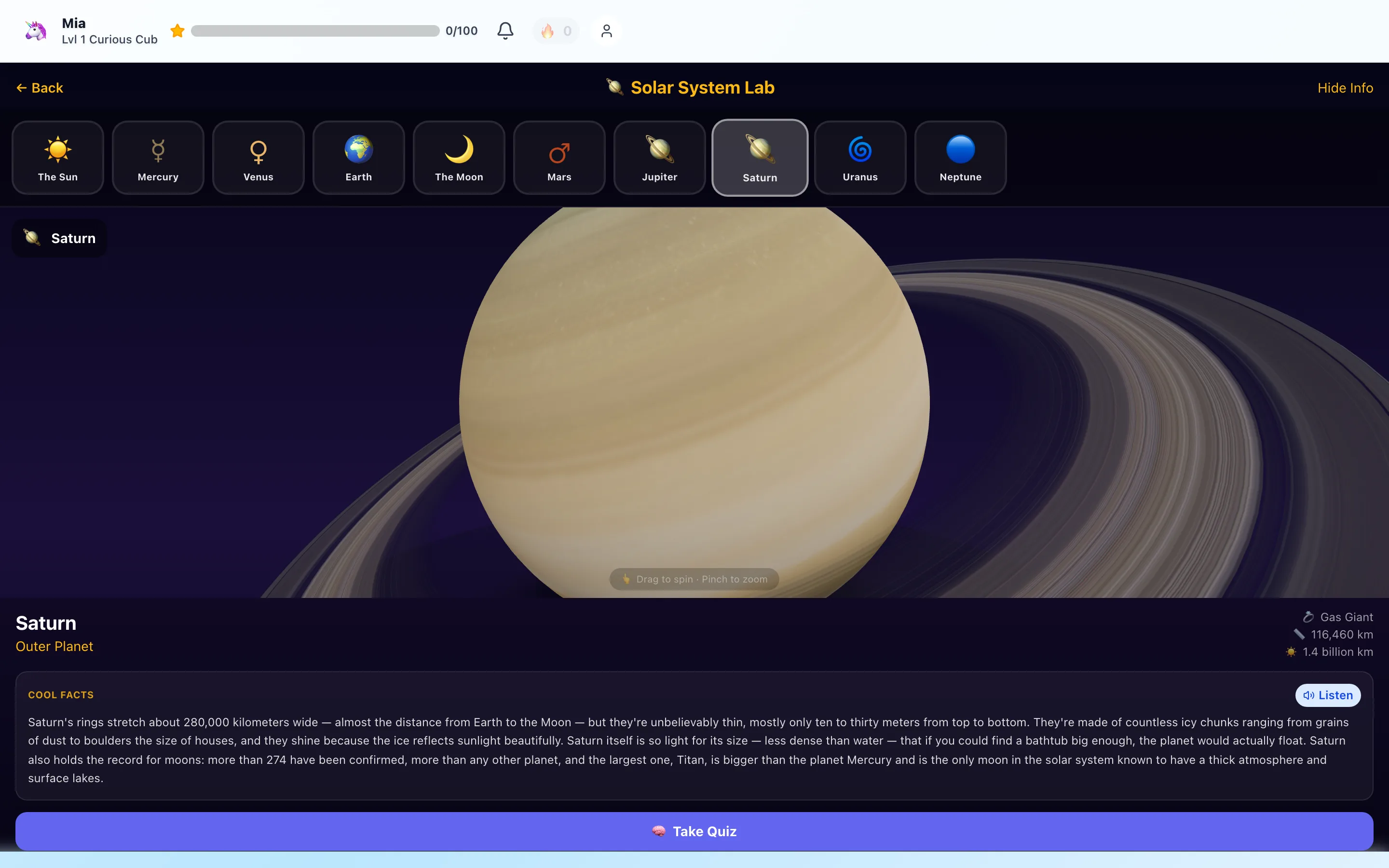
One tap on the rail and the scene swaps to Saturn — rings filling the screen at an angle a textbook photo never shows. The fact panel changes with it: the rings stretch about 280,000 km wide but are mostly only ten to thirty meters thick; the planet is less dense than water and would float in a big enough bathtub; more than 274 confirmed moons, with Titan bigger than Mercury.
That's the design pattern for all ten objects in this lab, and for the other nine labs (animal kingdom, ocean life, spacecraft, telescopes, botany, Mars missions, and more): model → wonder → facts → proof. Which brings us to the proof part.
The quiz: three questions on exactly what they just explored
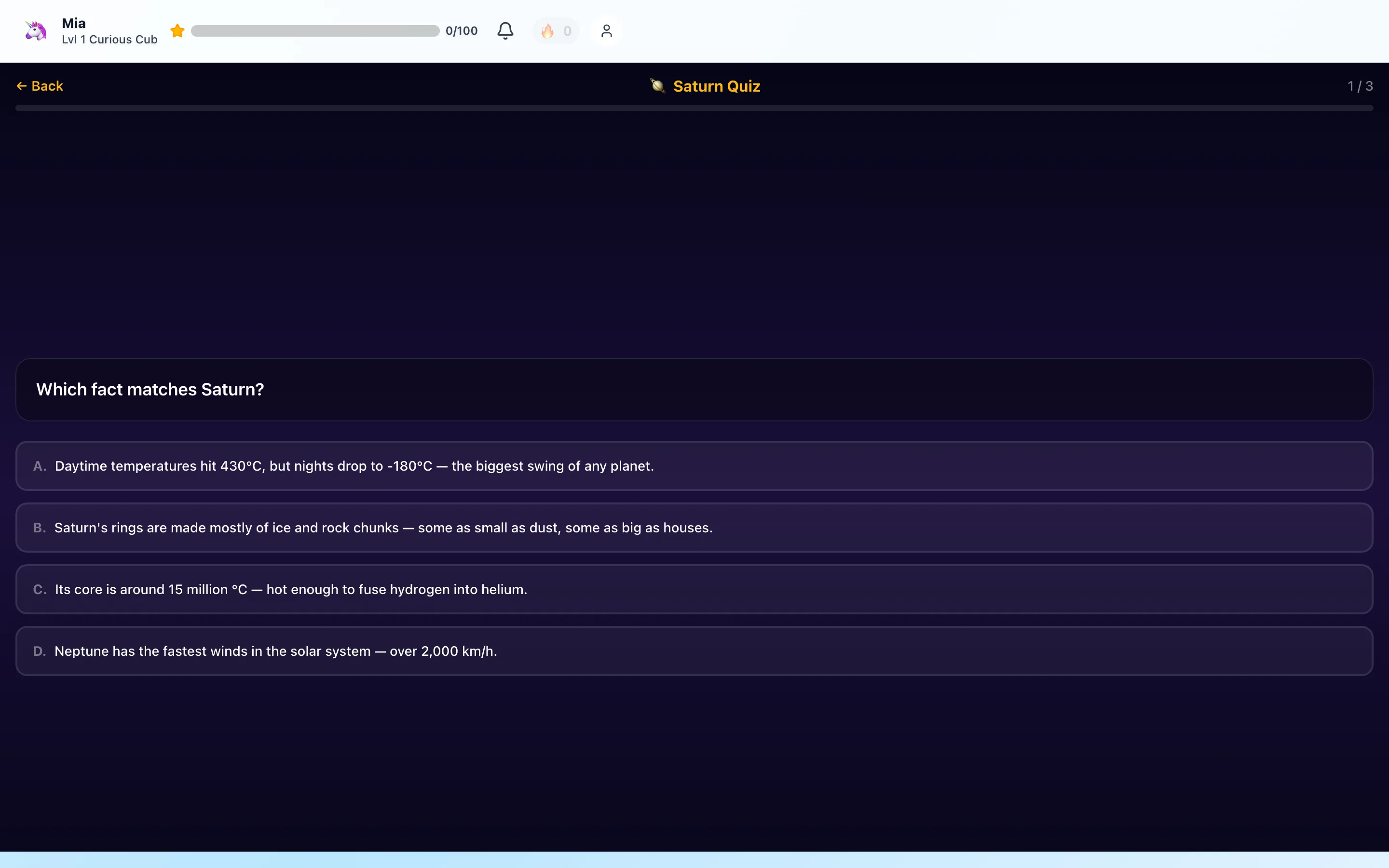
Tap Take Quiz under any object and the child gets a short quiz on that object only — here, "Which fact matches Saturn?" The wrong answers aren't nonsense; they're true facts about other objects in the lab (Mercury's temperature swing, the Sun's fusing core, Neptune's winds). A child can only answer by having actually understood which fact belongs to which world — recognition, not memorization.
Questions are tiered by age band, so a 5-year-old and a 9-year-old sharing the lab see different difficulty. Passing earns coins toward the reward system and marks the object mastered on the child's progress page — which is what a parent checks later to see real evidence of learning, not just screen minutes.
Why we build labs instead of videos
A video of Saturn is something that happens to a child. A model they spin is something they do. The difference shows up in the quiz scores: exploration plus immediate recall beats passive watching, and the time-gated arcade games sit behind this kind of learning, never in front of it. That's the guilt-free screen time thesis — the thirty minutes should be worth more than YouTube — applied to science.
The Solar System Lab is one of 10 interactive 3D labs among the 84 learning games on HomeSchool.You, included in the flat $20/month family plan (up to 4 children) and in the offline packs. The 3-day free trial requires a credit card upfront — your child can be spinning Saturn about five minutes from now.
Frequently asked questions
What is a HomeSchool.You 3D science lab?
An interactive lesson built around real-time 3D models that run in the browser — no app install. A child spins and zooms each model (planets, animals, spacecraft, ocean life), reads or listens to a narrated fact paragraph, and then takes a short quiz on that object. The Solar System Lab shown in this walkthrough covers the Sun, the Moon, and all eight planets.
Do the 3D labs work on a normal laptop or tablet?
Yes. The labs run on WebGL in any modern browser — a Chromebook, an old iPad, or a family laptop all work. They are also included in the offline download packs, so a lab keeps working with WiFi off.
How do the lab quizzes adapt to my child's age?
Quiz questions are tiered by age band. Younger children get fewer, simpler choices; older children get four-option questions that pull from the same fact panel they just read, like the Saturn question shown in this article. Passing a quiz earns coins and marks that object mastered on the child's progress page.
Are the science facts in the labs checked?
Yes — every fact panel goes through a fact-check pass against primary sources (fast-moving numbers like Saturn's confirmed moon count get spot-verified regularly), and we keep an internal fact-check log so kid-facing claims stay current.